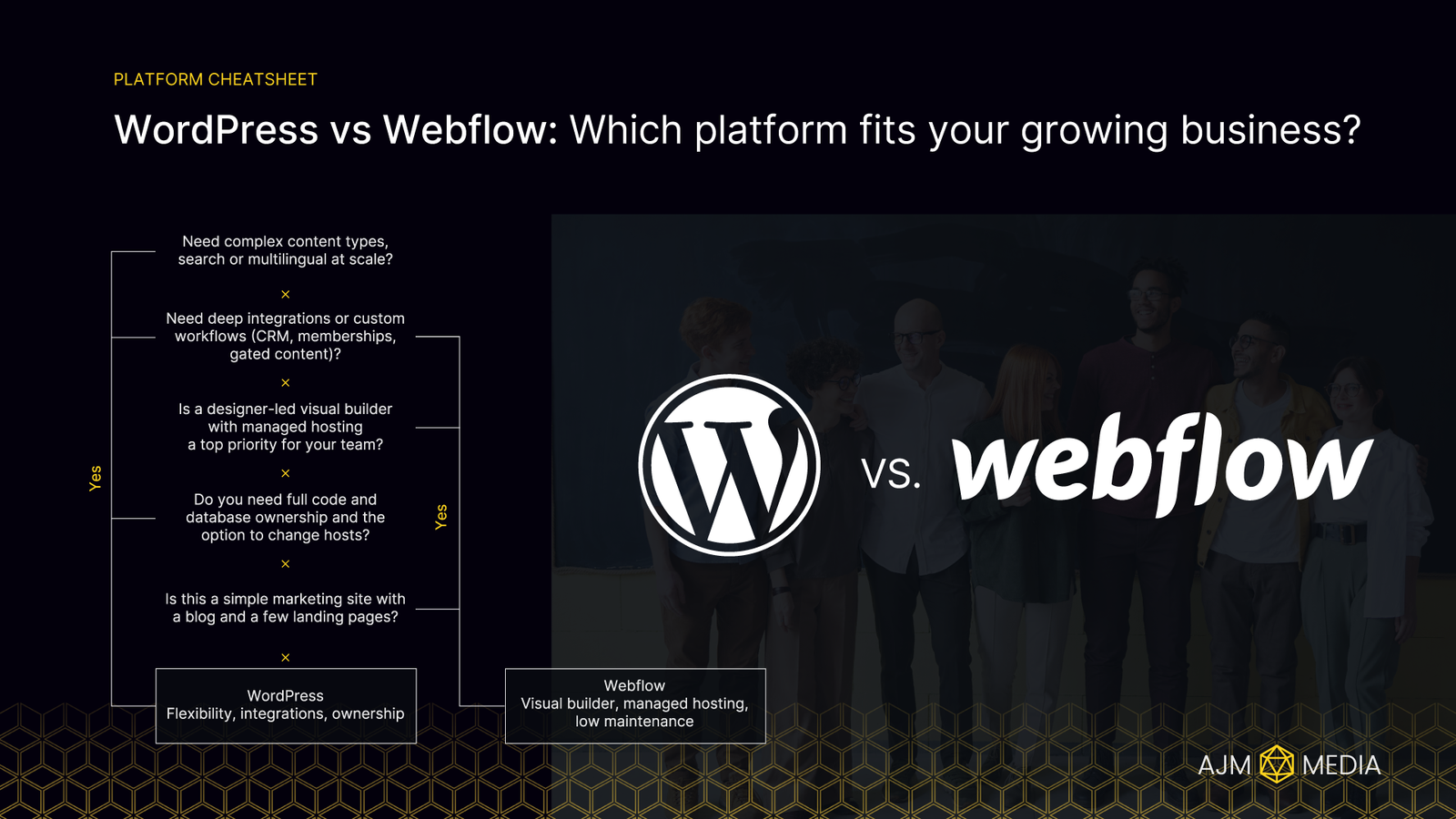
Choosing a platform is a business decision. It should fit your goals today and give you headroom for tomorrow. This guide compares WordPress and Webflow in plain English, then explains why WordPress is usually the better choice for projects that need flexibility, integrations, and long term ownership.
The quick answer
- Pick Webflow for a premium marketing site that needs fast publishing and light maintenance.
- Pick WordPress for anything that needs complex content, deeper integrations, ecommerce freedom, or a platform you fully own.
Decision path in 30 seconds
At-a-glance comparison
| Criteria | WordPress | Webflow |
|---|---|---|
| Design control | Unlimited with themes and custom code | Visual designer with clean outputs |
| Editing experience | Gutenberg or builders, roles and permissions | On page editing, components, roles |
| Speed to launch | Fast with a solid starter | Very fast once components are set |
| Hosting | Your choice of managed host | Included on Webflow |
| Maintenance | Core, theme, plugin updates | Platform is maintained for you |
| Extensibility | Huge plugin ecosystem and custom code | Integrations and custom code, smaller app set |
| Ecommerce | WooCommerce and many gateways | Webflow Commerce for simpler stores |
| Portability | Full code and database ownership | Static export only, CMS stays |
| Total cost | Host plus plugins plus care plan | Plan plus any apps |
When WordPress is a great fit
- Advanced content models. Custom post types and fields for directories, resource hubs, multi author blogs, and knowledge bases.
- Deep integrations. CRMs, marketing automation, memberships, headless APIs, and anything a developer can build.
- Ownership and control. Your code, your database, your choice of host, full version control and staging.
- Ecommerce freedom. Complex checkout, subscriptions, and payment options are all possible.
- Growth over time. Start lean, extend safely without repainting the whole site.
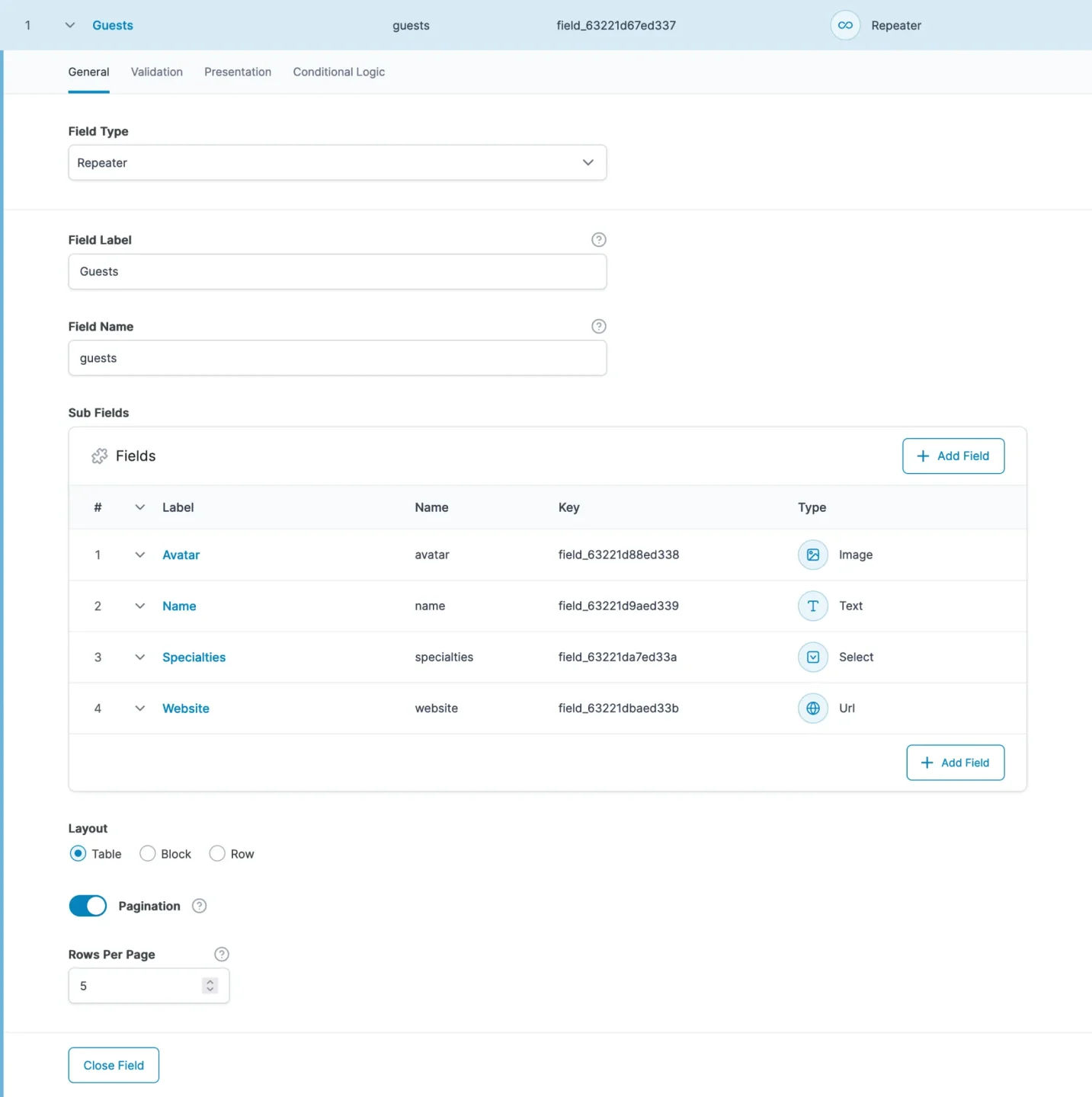
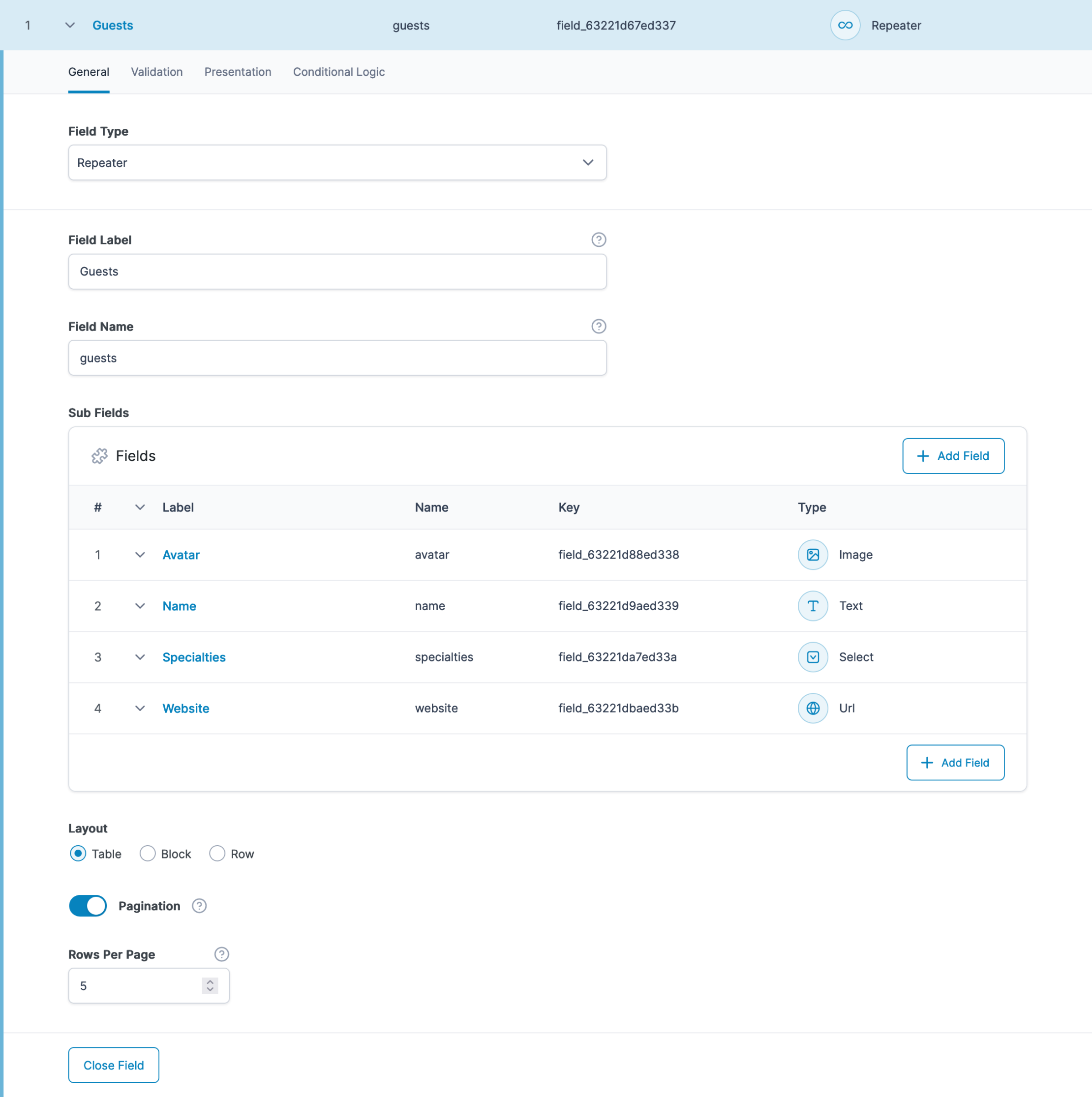
Caption: Custom editable fields with ACF Pro & repeater fields.
Source.
When Webflow is a great fit
- Design precision. Visual designer that maps nicely to modern CSS.
- Low maintenance. Hosting, CDN, SSL, and platform updates are handled.
- Safe editing. On page edits without risking layouts.
Total cost of ownership
Think beyond month one. Consider year one and year two.
WordPress
- Managed hosting and CDN
- Key plugins where needed
- A sensible care plan for updates, backups, and monitoring
Webflow
- Site plan based on traffic and features
- Optional apps or third party tools
- Less time on updates, but less control over the stack
If your project is content heavy, integrates with other systems, or will evolve, WordPress often wins on value over the long run.
Performance and SEO
Both platforms can be fast and search friendly.
- Performance. WordPress shines with good hosting, caching, image optimisation, and a lean build. Webflow ships on a global CDN by default.
- SEO. Both offer clean URLs, meta controls, and schema options. Results depend more on the build and your content than the platform logo.
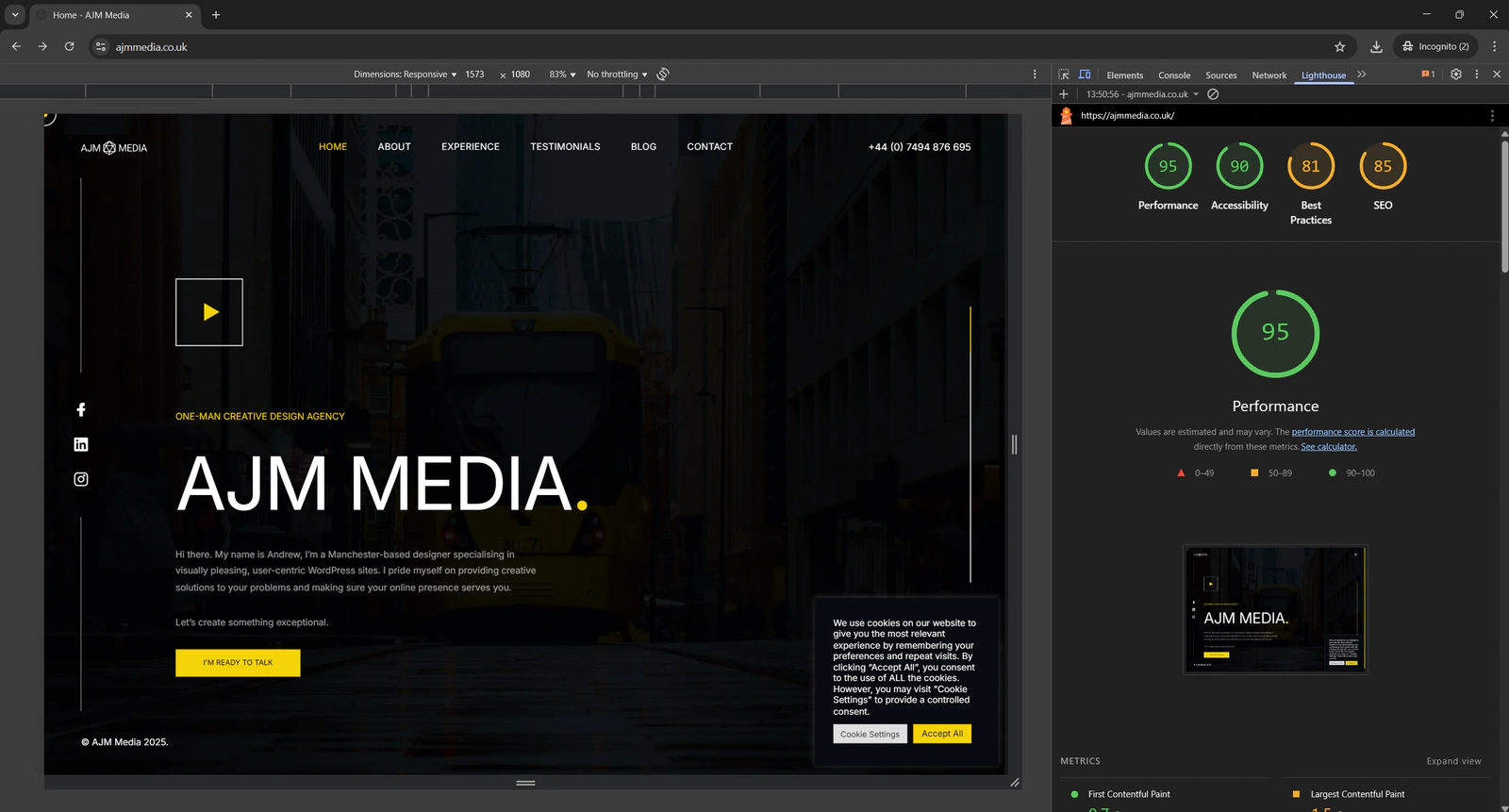
A Lighthouse report for my own website, with a Performance score of 95.
Security and maintenance
Both can be secure. The difference is who does the upkeep.
- WordPress. You or your developer keep WordPress, the theme and plugins up to date, and look after backups and monitoring. Done regularly, it stays secure; out-of-date plugins are the usual way in.
- Webflow. Hosting, security patches and backups are handled for you, so there is less to maintain, but you rely on Webflow’s platform and plan for all of it.
Scalability and integrations
- WordPress connects to almost anything via plugins, APIs, or custom code. Ideal for CRMs, marketing automation, and custom business logic.
- Webflow has an API and a growing list of integrations. Strong for marketing stacks and simple workflows.
Migration and portability
- WordPress gives full control of code and database, making migrations and rebuilds straightforward.
- Webflow allows static exports, but CMS content and dynamic layouts require a rebuild elsewhere.
Platform checklist
Answer these and your choice becomes clear.
- Who edits content each week and what guardrails do they need
- Do you need custom content types and relationships
- Which systems must this connect to today and in six months
- Are you selling products or memberships now or soon
- Do you want full ownership and the option to change hosts
- What balance do you want between quick launch and long term extensibility
My Recommendation
For design led marketing sites with simple requirements, Webflow is a solid option.
For most growing businesses that care about flexibility, integrations, and ownership, WordPress is the safer long term bet. It scales with your needs, plugs into your stack, and keeps you in control.
If you want a platform that can grow with your business, I recommend WordPress.
I design and build WordPress sites that are fast, secure, and easy to manage. If you would like a quick platform fit check or a scoped plan for your project, get in touch and I will map your goals to the simplest WordPress solution.